
How to Host a Trivia Night at a Bar: Tips & Props You Need
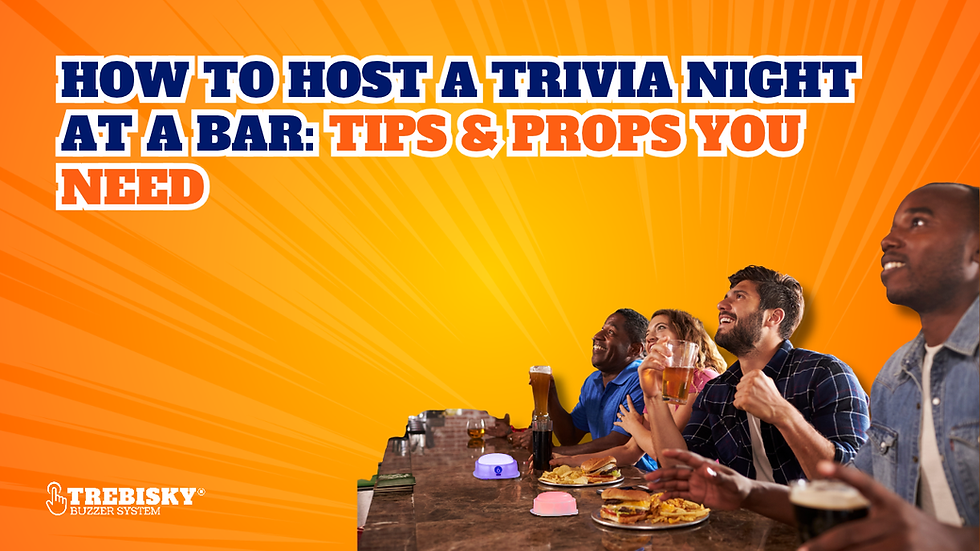
You can write 40 great trivia questions and still lose the room by question five. If teams can’t hear, scoring drags, or rounds run late, a good quiz can turn frustrating.
Knowing how to host a trivia night at a bar or restaurant means planning around the venue as well as the questions. Whether you’re running your first pub quiz or hosting weekly events across several venues, here’s how to organize the rounds, manage a busy room, and choose props that give guests a reason to return.
How to Plan a Trivia Night at a Bar or Restaurant
Start with the venue. A quiet brewery and a crowded sports bar need different setups. Choose a spot that doesn’t block servers, test sound from the back of the room, and arrange to lower background music during questions.
Confirm these details with the manager:
Capacity: Maximum teams, team sizes, and walk-ins.
Timing: Registration, finish time, and service-friendly breaks.
Equipment: Who supplies audio, screens, and other props.
Prizes: What the venue will provide.
Promotion: Who advertises and handles reservations.
If you’re a hired host, confirm your fee, setup access, payment, and cancellation terms. For weekly events, arrange early equipment testing and an answer-sheet collection point that won’t crowd the bar.
How to Choose Trivia Questions, Rounds, and Scoring Rules
Mix general knowledge, music, movies, sports, and local history so different teammates can contribute. Start with approachable questions, add harder ones later, and use a picture round for variety. If the venue attracts regulars, rotate your categories rather than repeating the same sports-heavy or pop-culture-heavy quiz every week.
Write questions that are easy to judge
Read questions aloud beforehand and rewrite any with multiple defensible answers. Fact-check dates, records, and current events. Keep the wording short enough to understand in a noisy room, and write down acceptable alternate answers before guests arrive.
For inspiration, try Trebisky’s general trivia question guide and free trivia quizzes.
Explain the rules before playing
A point per correct answer is simple. Set rules for phones, answer time, bonuses, and late arrivals. Prepare a numerical tiebreaker and clarify whether teams can go over. If a question is later ruled ambiguous, explain how you’ll adjust everyone’s score rather than improvising a decision for one team.
Keep scoring manageable for 15–20 teams
For a solo host, organized scoring keeps bigger events moving:
Assign every team a number and label its answer sheets.
Collect sheets in numerical order at the end of each round.
Score each round using the same answer key.
Enter scores into a spreadsheet with separate columns for each round.
Record any buzzer bonuses separately before calculating totals.
Keep completed sheets until the winners have been announced.
Double-check leading totals before announcements and retain answer sheets for disputes. Consider a second scorer for busy events; otherwise, verify standings before displaying them.
What Equipment and Props Do You Need for Trivia Night?
For hosts working across venues, portability matters. Choose equipment that's easy to transport without disrupting service, and test wireless accessories in each room.
A practical setup includes:
Equipment | Why you need it |
Microphone and speakers | Make sure players can hear questions clearly |
Laptop or tablet | Organize questions, answers, and event timing |
TV or projector | Display images, questions, and standings |
Answer sheets and pens | Collect responses and handle corrections |
Scoreboard or spreadsheet | Track team scores accurately |
Timer | Give teams consistent answering time |
Prizes | Recognize winners and encourage participation |
Wireless buzzers | Run first-to-answer competitions and interactive rounds |
Pack spare cables, chargers, answer sheets, and an offline quiz. Confirm what the venue supplies before arriving, including connectors for its display and a power source near your hosting station. Buzzers are optional for written-answer nights, but useful when the first team to respond should get the chance to answer.
Have a backup plan for equipment failures
If the display fails, read questions aloud and use printed visuals when possible. If audio fails, pause for repairs rather than trying to shout over a busy bar. If buzzers stop working, switch to written answers under consistent rules and record points manually until the system is ready again.
How to Be a Good Trivia Host and Keep the Crowd Engaged
A good trivia host manages the room, not just the questions. Explain answer submission, score updates, and the rules in a brief welcome. Then keep the pace steady enough for teams to discuss questions without leaving everyone waiting between rounds.
Work with the venue's noise and service rhythm
Use a consistent cue before questions and ask staff to lower background music during rounds. Speak steadily and display questions where possible, especially for tables far from the speakers. Allow around 20–30 seconds for simple recall and longer for pictures or discussion. Give a clear warning before collecting answers, and coordinate scoring breaks with the manager so guests can order without delaying service.
Handle disputes without derailing the night
For disputed answers, check your source, accept reasonable alternatives, and correct all affected scores. Handle challenges during breaks rather than debating over the microphone. A quick, consistent ruling keeps one argument from dominating the night.
Afterward, ask staff about audibility and delays so you can improve the next event.
How to Make Trivia Night More Fun With Interactive Games
A buzzer round adds speed to written trivia and works well as a final, tiebreaker, or separate bonus game. It can also give players who prefer quick recall a turn to shine after several written rounds.
Run a short fastest-to-buzz round
Give participating teams buzzers and explain when they’re allowed to press. Read the question, identify the first registered team, and give that team five seconds to answer. Reset the system before the next question so every team starts on equal footing.
Award, for example, two points for a correct response. Decide whether a wrong answer means moving on, reopening the question to other teams, or allowing a steal. Announce whether buzzer points count toward the main standings or a separate prize before the round starts.
See more crowd buzzer game ideas.
Use the Trebisky Wireless eMole Gen3 for competitive rounds
The Trebisky Wireless eMole Gen3 includes 10 wireless buzzers and a rechargeable scoreboard controller. In Game Show Buzzer mode, the first registered response locks out other players until you reset the round.
Other modes include Whack-A-Mole, Multiplayer Whack-A-Mole, and Memory Game. A separate six-buzzer expansion supports up to 16 players. With a stated wireless range of up to 50 feet, test the system from the actual tables before playing.
If you host weekly trivia, a buzzer finale gives you another format to offer venues without replacing your existing quiz. Keep the written rounds, then bring out the Gen3 for a competitive finish that the whole room can follow.
How to run a buzzer competition with 20 teams
You don’t need twenty buzzers for twenty teams. With ten buzzers, split the field into two qualifying heats and bring the highest-scoring teams together for a final.
Here's one possible format:
Heat 1: Teams 1–10 compete in five buzzer questions.
Heat 2: Teams 11–20 compete in five different questions of similar difficulty.
Final: The top two teams from each heat compete in a four-team showdown.
Use different questions of comparable difficulty so the second heat hasn’t already heard the answers. Explain how finalists qualify, how ties within a heat are broken, and whether wrong answers carry penalties. Keep buzzer results separate from written-trivia scores to avoid uneven bonus opportunities.
Allow roughly 25–35 minutes for the heats and final, depending on team movement and scoring. That won’t fit the 15-minute slot in the sample schedule, so extend the event or shorten another round. Charge the equipment, test each buzzer from its intended position, and practice resetting the controller beforehand.
Use the Trebisky Air Horn for big moments
The Trebisky Air Horn Hype Button plays an air horn with cheers and applause. It’s a celebration prop, not an answering buzzer.
Use it for a comeback, a close final, or the winning announcement, but check the volume with staff first. Saving the effect for a few moments makes it more fun without disrupting nearby customers.
How to Promote Your Trivia Night and Attract Regular Players
Work with the venue to promote the date, start time, team limits, any entry fee, and prizes. Mention a themed round or buzzer finale if it’s part of the plan. Announce the next event before guests leave, and keep weekly start times consistent so returning teams know what to expect.
Learn from a Trebisky collaborator
One useful example comes from Trebisky collaborator Halifax Games & Social (Yes Games Night). Founder and host Oran Sexton started organizing game nights for friends in Toronto. As those gatherings grew, bars began reaching out to ask him to bring the games to their venues.
His approach eventually developed into organized social events, with Halifax Games & Social placing particular emphasis on helping guests connect through games and friendly competition. It's an interesting example of how a casual game night can grow into something venues are interested in hosting.
You don't need to copy his format to learn from it. People may come for the competition, but a welcoming atmosphere gives them another reason to return. You could offer a table where solo guests can join a team, introduce occasional team challenges, or include an interactive finale that gets the room watching together, without rebuilding your quiz each week.
Make the next booking easier
Ask the manager whether you finished on time, players could hear, and collecting sheets disrupted service. Compare attendance across events when possible, and adjust the schedule or room setup based on what you learn. For returning venues, reliability can matter as much as a creative theme.
For hosts running regular pub and restaurant trivia, consistent timing and fair rules make each event easier to repeat. If you want to offer venues a game-show-style finale without redesigning the whole quiz, explore Trebisky’s buzzer systems and accessories to find equipment that fits your hosting setup.
About Trebisky Buzzers
Trebisky designs game show buzzer systems for classrooms, events, and entertainment setups. The systems are built for reliability and ease of use, with features like lockout control and bright indicators that help create fair and engaging games.
Over the years, Trebisky has shipped more than 14,000 orders and is trusted by over 13,500 customers across the United States. The company has also earned more than 700 reviews and has been serving customers for over 10 years, which reflects a consistent track record in this space.
Customers also benefit from fast shipping across the U.S. and a 365-day warranty, which adds confidence when choosing the right setup. Trebisky continues to focus on helping you create engaging experiences without adding complexity to your workflow.


Comments